Selling on Vinted is a great way to make some money from your unwanted clutter, whether it is to pay off debts, save for a holiday or even put towards a new (to you) wardrobe. You may have been put off selling on Vinted because you thought that you needed a printer for postage labels, but you don’t. Here is how to sell on Vinted without a printer and still keep the whole process simple.

What is Vinted?
Vinted is a marketplace for buying preloved fashion and selling unwanted items.
Vinted have three main aims:
- Sell simply – make money by easily listing your preloved items – a great way to make money on your phone or to make money with your iPad.
- Shop smarter – find amazing brands that you love at a fraction of the RRP.
- Join the community – customise your feed for the products that you really want.
The Vinted app is available both on iOS and Android.
What can you sell on Vinted?
Selling clothes on Vinted is really popular, and I have found that some of my old clothes have sold within minutes of listing them.
If you want to make your products stand out on Vinted, you might as well try the unique way of Custom Patches.
Adding unique custom patches to those second-hand clothes, perhaps a retro-style embroidery pattern, or a slogan full of personality, can instantly make the clothes glow with a unique charm, as if the clothes have been given new life and become unique.
No matter what style, custom patches can be cleverly integrated with it to meet the pursuit of fashion and personality of different customers, making your Vinted sales road smoother and more creative.

That said, you can also sell makeup and beauty products on Vinted as long as they are new and sealed, as well as accessories, shoes, homewares and even toys.
Vinted also has an “entertainment” category where you can sell video games and consoles, games and puzzles, music, videos and books – I often sell book bundles to clear out space when I have finished a book.
That’s before we even tackle the “pet” category where you can sell anything from clothes to beds and more.
If you are just getting started then I would suggest that you start by selling clothes on Vinted because they are easy to list and package up when you sell them.
Here’s where to find stock for Vinted.
Benefits of selling on Vinted without a printer
While selling on Vinted without a printer may require a little bit of planning, there are several benefits.
Firstly, you can declutter your wardrobe and earn some extra cash without the need for expensive printing equipment.
Secondly, selling without a printer allows you to be more flexible and sell from anywhere, as long as you have access to a parcel shop or Post Office that can scan a QR code.
Additionally, not owning a printer eliminates the cost of ink, paper, and maintenance, saving you money in the long run.
Most popular shipping options on Vinted now support QR codes or in-store label printing, which makes selling on Vinted without a printer easier than ever.
Can you sell on Vinted without a printer?
Printers can be expensive – not only the initial outlay for one but then keeping on top of buying ink and paper or labels. You might have been put off by making money selling on Vinted because you don’t own a printer, or your printer has run out of ink.
So can you sell on Vinted without a printer?
The answer is yes, you can sell on Vinted without a printer.
There are several shipping methods where you don’t need to print a label at home because you either use a QR code at a parcel shop or post office, or buy postage over the counter.
You will need to complete the steps below to make sure that you have turned off any shipping methods that only give you a label to print.
How to sell on Vinted without a printer
To sell on Vinted without a printer, you need to turn off the shipping options that only give you a printable label and choose the ones that work with QR codes or in-store label printing.
Vinted offer the following shipping methods:
- 24/7 InPost Locker Pick-up See: what to do when the wrong parcel is in an InPost locker.
- InPost Home Delivery
- EVRi Home Delivery
- EVRi Parcelshop
- Yodel Store to Store
- Yodel Store to Door
- DPD Pickup
- Royal Mail Standard 2nd Class
To toggle which shipping options you have turned on, head to your Profile on the app > Settings > Postage.
Turn off the following shipping methods if you don’t have a printer:
- InPost Home Delivery
All of the other shipping methods on Vinted provide you with a QR code or barcode to scan, or Royal Mail lets you purchase the postage at a Post Office and have the label printed there.
For Evri you will need to ensure that your drop-off has a printer – not all drop-off points do. You cannot post an Evri parcel with a QR code at an InPost locker.
For DPD Pickup, despite using the name “Pickup” you have to drop your parcel off, and you will need to find a location with a printer to print the QR code.
When your item sells, make sure that you select a digital label and then you can scan the code at the parcel drop off and get a label, or pop it into an InPost locker.
Don’t forget that your photos on Vinted matter too!
Buy a printer for Vinted
If you want to give yourself the best chance to get the most sales on Vinted then turning on every postage method could appeal to more buyers.
You might decide to invest in a printer for selling on Vinted so that you can use every shipping option and print labels at home.
See also: best things to sell on Vinted.
Other ways to sell on Vinted without a printer
If you have made a mistake and selected a shipping label that must be printed, or perhaps your printer has run out of ink, here are some other options to explore.
- Visit your local library – by visiting your local library you will be able to print off your Vinted postage for a small fee, which is usually just a few pence per sheet of paper. You don’t need to print your labels in colour, just in black and white, which will save you a little bit of money.
- Ask a friend or family member – if you have a friend or family member close by with a printer then you can ask them to print off your Vinted postage label for you. Chances are that the cost will be so negligible for them that they won’t even ask for a contribution towards the cost.
How to contact Vinted
There are many reasons why you might need to get in touch with Vinted’s support team. Perhaps you’ve fallen for a common Vinted scam or you have a Vinted item not as described.
If you are looking for how to get in touch with Vinted then look no further than our useful article: how to contact Vinted.
Interested in Vinted? You might also like these posts:
- Buying on Vinted
- Vinted username ideas
- How does Vinted make money?
- How do you get paid on Vinted?
- Do you have to pay tax on Vinted sales?
- Vinted vs Depop
- My Vinted Wardrobe Spotlight experience
- What to do when Vinted won’t let me buy
- Alternatives to Vinted
- Vinted withdrawal time
- How to get free postage on Vinted
Sell to Vintage Cash Cow without a printer
You can’t sell your unwanted clothes to Vintage Cash Cow, but they are still a great option if you don’t have a printer and want to sell other items from around your home.

With Vintage Cash Cow you will fill in a form to receive your free pre-paid shipping label, then simply box up your items and send them off to be appraised.
Items that Vintage Cash Cow buy include:
- Jewellery including costume jewellery
- Watches
- Gold
- Silver
- Silver plate
- Cameras
- Medals
- Toys
- Pens
- Coins and currency
- Sunglasses
- Amber
- Clocks
- Brass
- Diamonds
- Pewter
- Vintage – homewares, electronics, collectibles, tools, etc
And more.
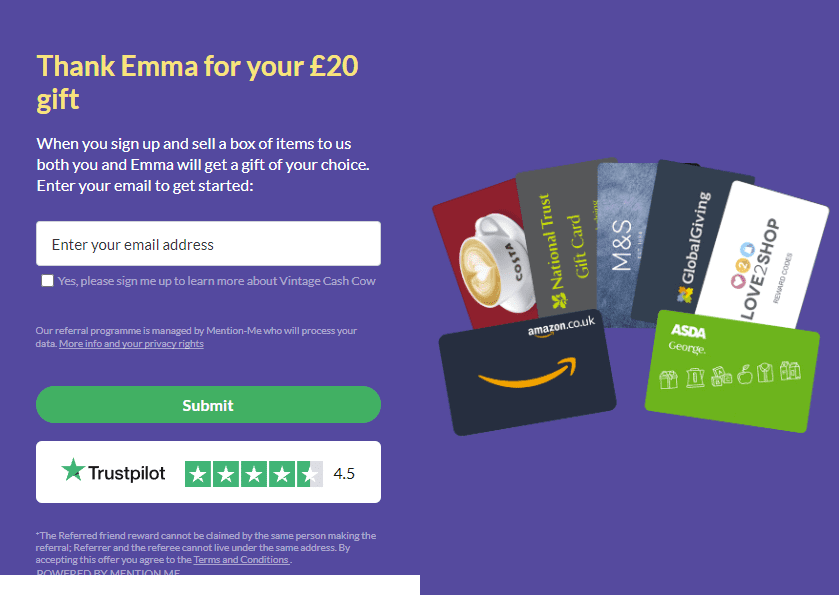
What’s more, if you sign up for your free prepaid envelope using my link, you will get a £20 voucher when you send in your first box.
You can choose a voucher for Amazon, Costa, National Trust, M&S, Global Giving, Love2Shop or ASDA.

Vinted without a printer – quick FAQ
Can I use Royal Mail on Vinted without a printer?
Yes. If you choose Royal Mail as the shipping method, you can usually take your parcel and QR code to a Post Office and they will print the label for you.
Which Vinted shipping options work best without a printer?
InPost lockers, many EVRi and Yodel parcel shops, and Royal Mail via the Post Office all work well using QR codes or over-the-counter labels, so they are ideal if you don’t have a printer at home.
What if I accidentally pick a “print at home” label?
If you choose the wrong shipping method by mistake, you can either print at a library or friend’s house, or cancel and relist the item with a different postage method before the buyer pays. If the order is already confirmed, message the buyer and explain the situation.
Do buyers see which postage options I have turned on?
Yes. Buyers can only pick from the shipping methods you have enabled in your settings, so turning on printer-free options makes your listings more attractive to buyers who prefer certain couriers or collection points.
Is it worth buying a printer just for Vinted?
If you sell regularly, a basic printer or label printer can be worth it for convenience and to unlock every postage method. If you only sell occasionally, sticking to QR code options and using the library when needed will usually be enough.



.jpg)