If you’ve ever taken a photo for Vinted and then zoomed in thinking, “Oh wow, that looks NOTHING like it did in my head,” you’re in very good company. Honestly, most of us start out taking dark, blurry photos on the carpet and wondering why nothing sells. But good photos really do make a huge difference. You don’t need to be good at photography. You don’t need expensive lighting. You just need a few simple habits that make your items look clean, clear and trustworthy.
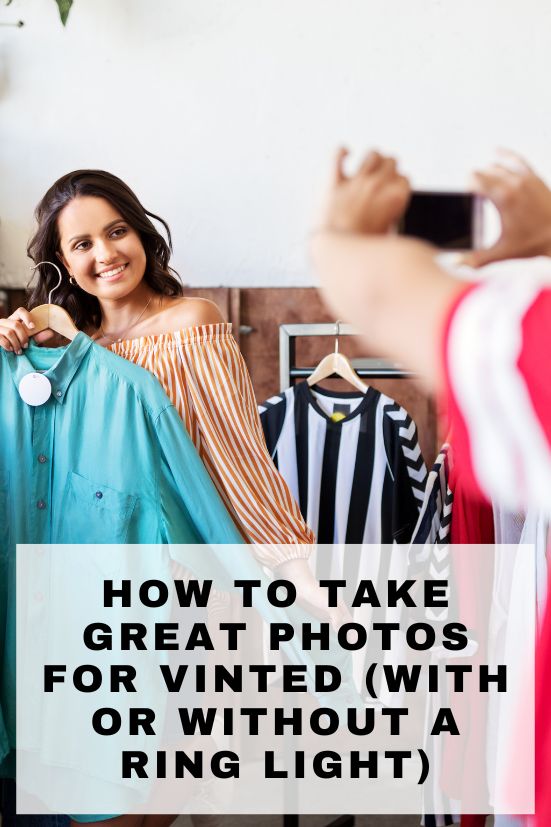
Once you crack this, you’ll feel so much more confident listing, and you’ll see the difference in your sales when selling on Vinted, especially when you pair good photos with a strong description and sensible pricing.
Why Great Photos Matter on Vinted
The photos you share on Vinted are going to make your first, and best, impression. Buyers scroll quickly, so your main image needs to stop them mid-scroll and make them click. A good photo can do that in seconds.
Clear, bright photos help you
• Build instant trust
• Show the true condition of your items (vintage especially!)
• Make flaws obvious in a kind, honest way
• Reduce all the “What material is this?” and “Any marks?” type questions
• Avoid low-ball offers, because your item looks worth the price
• Sell your item faster and often for more money
Good photos basically do the selling for you.
Learn more from me
I’ve made over £10,000 on Vinted with more than 2,000 sales, and I’ve poured everything I’ve learnt into two resources to help you sell with confidence.
Vinted Sales Planner – perfect for keeping track of your listings, sales, offers, postage and profit.
Make Money Selling on Vinted book – a friendly, step-by-step guide packed with real tips and strategies I use myself.
The Basics: What Makes a Good Vinted Photo
If you only follow these, you’ll already be miles ahead of most sellers.
Use natural daylight – Nothing beats a good window. Turn off lamps, they’ll ruin the colours.
Choose a clean background – Plain bedding, a tidy floor, a white wall…keep the focus on the item, not the surroundings.
Show lots of angles – Buyers want to see everything. Front, back, sides, labels, stitching, flaws, textures.
Keep your phone steady – Most blurry photos are simply shaky hands. Two hands on the phone makes a huge difference.
Clean your lens – Honestly, this alone can upgrade your photos instantly.
How to Take Great Vinted Photos Without a Ring Light
Most of your best photos will come from daylight, so don’t worry if you don’t have a ring light.
Set up right next to a window – You want the item facing the light, not in a dark corner.
Use a makeshift reflector – A sheet of white card, a baking tray, tin foil taped to cardboard, anything white or shiny will bounce light back and brighten the shadows.
Flat lays look really professional – Lay the item on a clean blanket or sheet. Smooth out wrinkles. Straighten sleeves. Make it look like you care.
Turn off indoor lights – They make colours look wonky and yellow unless you have daylight bulbs.
Take photos in portrait mode – Vinted displays portrait photos beautifully, and they take up more of the screen while scrolling.
See also: Vinted username ideas.
How to Take Great Vinted Photos With a Ring Light
If you’ve got one, brilliant, it just gives you more flexibility.
Put the ring light directly in front of the item – This gives you nice, even light.
Use soft white settings – Warm or blue settings tend to distort colours.
Watch for reflections – Shiny materials can pick up the circle of the ring light. A tiny adjust of the angle usually fixes it.
Give yourself space if modelling – Stand about a metre back so the light spreads evenly.
How to Photograph Clothes on Hangers
Hanger photos are quick, tidy and work especially well for tops, dresses and jackets.
Here are the steps that always help:
• Use a clean hanger that doesn’t look tatty
• Hang the item against a simple wall or door
• Stand directly in front, angled shots can warp the shape
• Smooth creases or give it a quick steam
• Make sure the whole item is lit evenly
• Photograph extra details like zips, sleeves and stitching
• Show labels and care tags
How to Photograph Clothes You’re Wearing
Buyers LOVE a model photo. It helps them understand shape, length and fit in a way that hangers just can’t.
Here’s how to get ones that look bright and flattering without trying too hard:
• Stand facing a window so you’re fully lit
• Keep the background clean, even just moving the laundry basket helps
• Clean your mirror first
• Hold your phone slightly lower than your face for a better angle
• Lift your arm slightly so the clothing isn’t squashed against your body
• Take front, back and side photos
• Show close-ups of details like buttons or embroidery
• Don’t use filters, buyers want true colours, not Instagram tones
How to Edit Vinted Photos (Without Making Them Look Fake)
Editing is just for tidying up, not transforming. Buyers don’t want your vintage sweater looking like it was shot for a magazine.
Useful edits include
• Brightness
• Exposure
• Straightening
• Cropping
• Slight sharpening
Avoid
• Filters
• Saturation boosts
• Smoothing tools
• Stickers or text
Fixing Common Vinted Photo Problems
Blurry photos – Move closer to a window, hold the phone steady, take two shots.
Vintage photos not uploading – Your image size is probably too large. Turn off HDR and try uploading via desktop.
Vinted error uploading photos – Try switching between Wi-Fi and data, reduce file size or clear the app cache.
Bad lighting – If the room looks dark in your phone camera, it is dark. Move closer to a window.
Colours look wrong – Indoor lights are the usual culprit. Switch them off.
Apps That Help (Without Going Overboard)
These are great for brightening and tidying your images without making them look “edited”.
• Snapseed
• Google Photos
• Lightroom Mobile – I got my presets from Creative Fabrica.
• Built-in iPhone editor
How Many Photos Should You Upload to Vinted?
Think of it like online shopping: people want to see everything before clicking Buy.
• At least 5 for normal items
• 8–12 for vintage or pricier pieces
• Always include close-ups
• Always show flaws
• Include a label photo when you can
How to Save and Organise Your Vinted Photos
Once you get into a flow, it’s easy to keep things consistent. I like keeping a folder on my phone with:
• My favourite flat-lay setup
• Where the best light hits my room
• My mirror selfie spot
• Example vintage close-ups
• A couple of modelled outfit shots
You can recreate a great setup in seconds.
You Might Also Like:
How to Write Better Vinted Descriptions
How to Price Your Vinted Items
How to Send Offers on Vinted
Vinted Postage Options
Vinted Pro
FAQs about Photos For Vinted
Use natural daylight, keep the background simple and show lots of angles. Buyers want clear, honest photos that show the item properly.
Vintage items need close-ups of all the details — stitching, labels, textures, patterns and any wear. Photograph them in bright daylight for the truest colours.
It’s usually low light or movement. Stand right by a window, wipe your lens and take a second photo just to be safe.
Your phone’s normal photo size is perfect. Portrait orientation looks best on the app.
At least five, but up to twelve for vintage, designer or high-value pieces.
This is often a file-size issue or connection problem. Switch network, reduce image size or try uploading via desktop.
Keep it simple: brighten, crop, straighten and sharpen slightly. No filters and no colour changes.
Snapseed, Google Photos and Lightroom Mobile brighten and tidy photos without altering them too much.



.jpg)